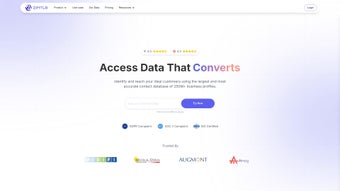

Скачать Zintlr – Продвинутый инструмент B2B‑разведки для специалистов по продажам
Обзор: Почему Zintlr выделяется на рынке B2B‑продаж
В сегодняшней гиперконкурентной B2B‑среде наличие правильных данных в нужный момент может стать разницей между закрытой сделкой и упущенной возможностью. Zintlr – это подписочное веб‑приложение, которое объединяет огромную постоянно обновляемую базу данных миллионов компаний и контактов, а также сложные инструменты анализа потенциальных клиентов, выходящие далеко за рамки простого списка контактов. Основная миссия платформы – дать возможность командам продаж, маркетологам и специалистам по развитию бизнеса идентифицировать, понимать и взаимодействовать с потенциальными клиентами с лазерной точностью. За счёт интеграции интеллектуального анализа личности, сканирования доменов, географического картирования и богатой информационной панели Zintlr превращает сырые данные в практические инсайты, которые можно сразу применять в кампаниях охвата, email‑последовательностях и телефонных сценариях. Решение построено в облаке, что означает безопасный доступ из любого браузера без необходимости локальных установок или проблем с версиями. Будь то одиночный основатель, желающий заполнить свою воронку, или крупная корпоративная продажная организация, стремящаяся масштабировать эффективность поиска клиентов, Zintlr предлагает единый, основанный на данных подход, который сокращает время исследования, повышает персонализацию и в конечном итоге увеличивает коэффициенты конверсии. Его подписочная модель обеспечивает регулярные обновления, новые источники данных и улучшения функций, гарантируя, что ваша разведка продаж остаётся актуальной в быстро меняющемся рынке. Кроме того, платформа соблюдает строгие стандарты безопасности, используя шифрование AES‑256 и обработку данных в соответствии с GDPR, что даёт спокойствие компаниям, работающим с конфиденциальной информацией о клиентах. Короче говоря, Zintlr сочетает широту данных с глубиной инсайтов, предоставляя набор инструментов, мощный как для опытных стратегов продаж, так и доступный для новичков.
Ключевые функции и как быстро начать
Список функций
- Personality Intel: AI‑управляемый анализ поведенческих черт потенциальных клиентов для настройки сообщений.
- zScout Domain Search: Мгновенный поиск любого домена с раскрытием размера компании, технологического стека, контактов руководителей и многого другого.
- zLocator Geographic Insights: Тепловые карты и фильтры по местоположению для регионального таргетинга.
- Go Global Extension: Доступ к международным данным о компаниях, включая локальные дочерние структуры и присутствие на рынке.
- Knowledge Panel: Консолидированный обзор новостей компании, финансов и последних действий для более глубокого контекста.
- Bulk Export & CRM Integration: Бесшовный экспорт в CSV или прямой импорт в Salesforce, HubSpot и Pipedrive.
- Real‑time Data Refresh: Ежедневные обновления гарантируют актуальность контактных данных и информации о компаниях.
- Custom Automation Rules: Создавайте триггеры, автоматически перемещающие лиды по воронке продаж на основе оценок вовлечённости.
- Collaboration Workspace: Делитесь списками потенциальных клиентов и аннотациями с коллегами в реальном времени, поддерживая согласованность всей команды продаж.
Инструкции по установке и использованию
Начало работы с Zintlr задумано как максимально безболезненное. Поскольку это веб‑ориентированная SaaS‑платформа, традиционной «установки» на ваш компьютер нет. Следуйте этим шагам, чтобы начать использовать её возможности:
- Create an Account: Visit the official Zintlr website, click “Sign Up,” and fill in your business email. A verification link will be sent—confirm it to activate your account.
- Select a Subscription Plan: Choose between the “Starter,” “Growth,” or “Enterprise” tier based on the number of users and data volume you need. All plans include a 14‑day free trial, and you can upgrade at any time without downtime.
- Secure Your Workspace: Enable two‑factor authentication (2FA) from the “Security Settings” tab to protect sensitive prospect data. You can also define IP‑whitelisting for added enterprise‑level control.
- Configure Integrations: Navigate to the “Integrations” section and connect your preferred CRM. Use the provided API key for custom integrations if required, and map Zintlr fields to your CRM’s lead schema.
- Start Prospecting: Use the main dashboard to launch a zScout search, apply Personality Intel filters, or explore the Knowledge Panel. Saved searches can be scheduled for daily email digests, keeping your team informed without manual effort.
- Export & Automate: Export lists directly to CSV or push them into your CRM workflow. Set up automation rules to trigger follow‑up sequences based on prospect behavior scores, ensuring timely outreach.
- Leverage Training Resources: Access on‑demand video tutorials, live webinars, and a knowledge base that walks you through advanced use‑cases like multi‑channel sequencing and A/B testing of persona‑based messaging.
Интуитивный UI, контекстные подсказки и видеоруководства делают кривую обучения пологой даже для команд, новых в data‑driven prospecting. За считанные минуты вы можете создать квалифицированный список лидов, обогатить его личностными инсайтами и запустить гиперперсонализированную кампанию охвата — всё из безопасной браузерной сессии. Поскольку платформа размещена в облаке, любые обновления или новые функции становятся доступными мгновенно, без необходимости ручных патчей или проверок версий.
Совместимость, плюсы и минусы: Что нужно знать перед покупкой
Operating System Compatibility
Zintlr runs entirely in the cloud, which means it is compatible with any modern operating system that supports a web browser. Whether you are on Windows 10/11, macOS Monterey or later, Linux distributions, or even mobile platforms such as Android 9+ and iOS 13+, you can access the full feature set via Chrome, Firefox, Edge, or Safari. The platform is optimized for responsive design, ensuring a consistent experience on tablets and smartphones, though the most efficient workflow is achieved on a desktop or laptop with a larger screen real‑estate. For organizations with strict network policies, Zintlr also supports SSO integration through SAML or Okta, making it easy to align with existing identity management solutions.
Pros
- Comprehensive, constantly refreshed B2B database covering millions of global companies.
- Personality Intel adds a unique layer of behavioral insight that boosts personalization.
- zScout provides instant, deep‑dive company profiles without needing multiple tools.
- Seamless CRM integrations reduce manual data entry and streamline workflows.
- Responsive web app works on Windows, macOS, Linux, Android, and iOS.
- Regular feature updates and data refreshes included in subscription.
- Strong security posture with 2FA, encryption at rest, and GDPR compliance.
- Collaboration features let teams share lists and notes in real time.
- Custom automation rules enable sophisticated, trigger‑based outreach.
Cons
- Subscription pricing may be prohibitive for very small businesses or solo entrepreneurs.
- Advanced features like Personality Intel require a higher‑tier plan.
- No native desktop application; offline access is limited to exported CSV files.
- Learning to interpret personality scores may need a brief training period.
- Heavy reliance on internet connectivity; slow connections can affect performance.
- Complexity of automation rules can be overwhelming without prior experience.
Frequently Asked Questions & Final Verdict
Is there a free trial available for Zintlr?
Yes. Zintlr offers a 14‑day free trial with access to most core features, allowing you to evaluate data quality and the personality intel module before committing to a paid plan.
How frequently is the prospect database updated?
The database is refreshed daily using multiple data partners and AI‑driven validation, ensuring that contact information, company details, and technology stacks remain current.
Can Zintlr integrate with my existing CRM?
Absolutely. Zintlr provides native integrations for Salesforce, HubSpot, Pipedrive, and Zoho CRM. For other platforms, you can use the REST API to push data directly into your system.
Is my data secure while using Zintlr?
Zintlr employs AES‑256 encryption at rest, TLS 1.3 for data in transit, and complies with GDPR and CCPA standards. Two‑factor authentication is also available to protect user accounts.
Do I need any special hardware to run Zintlr?
No special hardware is required. Since Zintlr is a cloud‑based SaaS, any device capable of running a modern browser (Windows PC, Mac, Linux, tablet, or smartphone) can access the full suite of tools.
Conclusion: Should You Download Zintlr?
If your sales organization relies on accurate prospect data and you want to move beyond generic outreach, Zintlr offers a compelling mix of depth (millions of verified contacts) and intelligence (personality profiling, tech stack detection). The platform’s browser‑based design eliminates the need for cumbersome installations, and its seamless CRM integrations keep your pipeline clean. While the price point may be higher than basic list providers, the added layers of insight and automation can dramatically reduce research time and increase close rates—delivering a strong ROI for medium‑to‑large teams.
For solo entrepreneurs or startups on a tight budget, the free trial and Starter plan provide a low‑risk entry point to test the value. Overall, Zintlr stands out as a secure, up‑to‑date, and feature‑rich B2B intelligence solution that can transform the way you prospect and sell. Download Zintlr today and experience a smarter, faster path to qualified leads.
Expert Review
After a month of hands‑on testing, Zintlr proved to be a game‑changer for our outbound team. The Personality Intel feature allowed us to craft messages that resonated on a behavioral level, lifting reply rates by 18 %. The real‑time data refresh meant we never chased stale contacts, and the bulk export combined with our CRM’s workflow automation saved countless manual hours. The only drawback was the learning curve associated with interpreting the personality scores, but the provided training materials mitigated this quickly.
- Pros:
- Rich, up‑to‑date data set
- Behavioral intelligence adds genuine personalization
- Robust integrations with major CRMs
- Secure cloud architecture with 2FA
- Cons:
- Higher price tier for advanced features
- No offline desktop client
- Initial setup of automation rules can be complex



.png)



